Ready to stop fighting with your printer and finally make it print the exact size you want?
Once I learned all the ways I could make my printer work for me, everything got easier. Today, I’m showing you how to print smaller without the headache. It’s my favorite way to save paper!
Prefer to watch instead of read? You can watch the full video here.
Table of Contents
How Do You Shrink Print Size Using Custom Scale?
The first method uses the custom scale tool. This works best when you know the original size of what you’re printing.
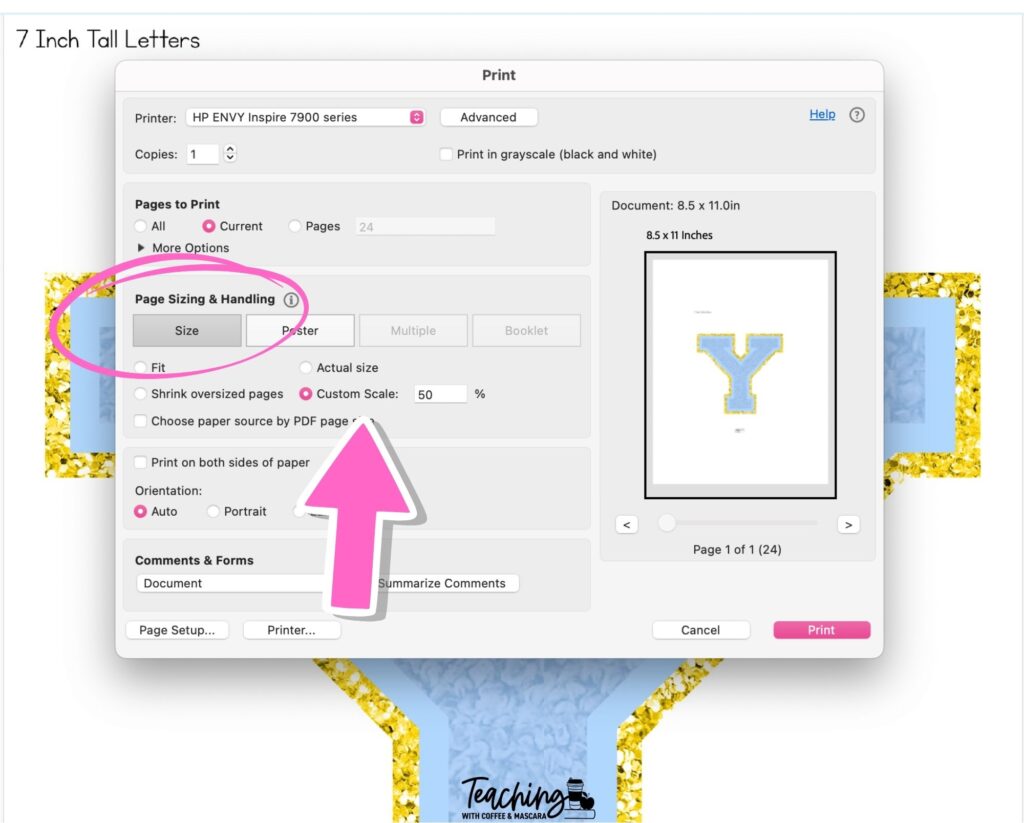
For example, if the letter you’re printing is 7.5 inches tall, you can easily shrink it by changing the scale to 50 percent. That takes 7.5 inches down to 3.75 inches.
This method is quick and works well when you have a specific size in mind.
How to Shrink Print Size Using Multiple Pages Per Sheet
Now let’s look at a different option. The multiple pages per sheet setting.
Instead of scaling the image, you choose how many copies print on one page. For example, number posters can be turned into small cards that students can hold.
- Two per page gives you larger cards
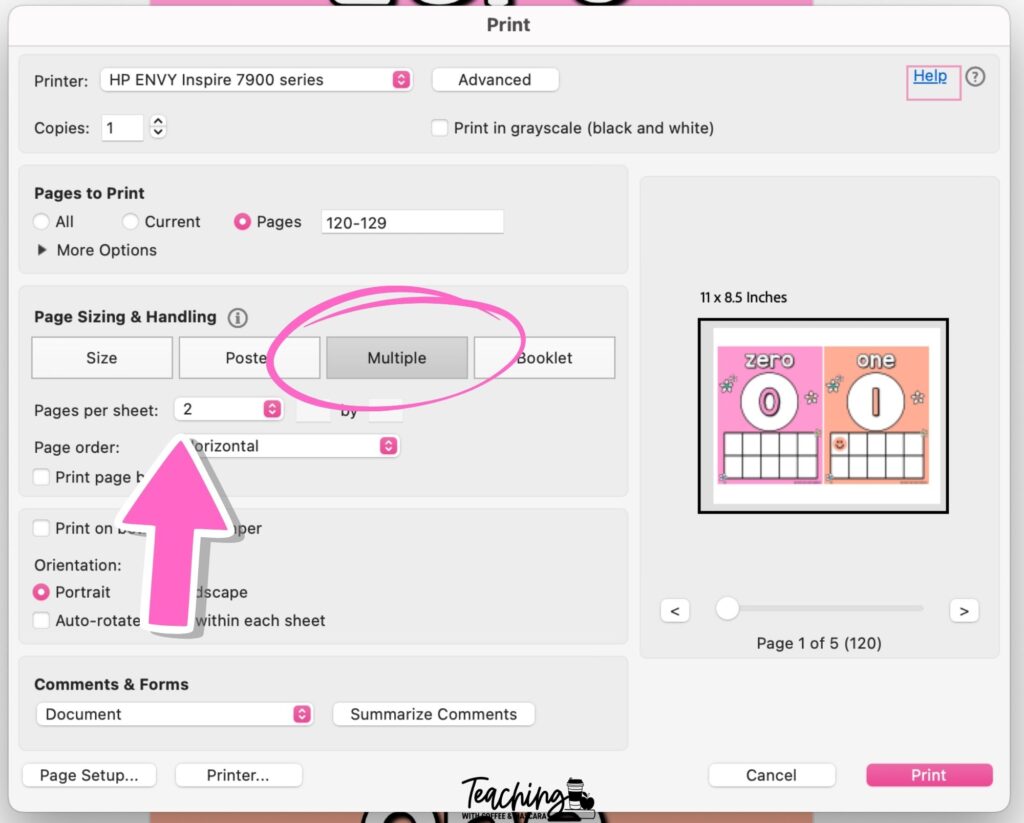
- Four per page gives you medium-sized cards
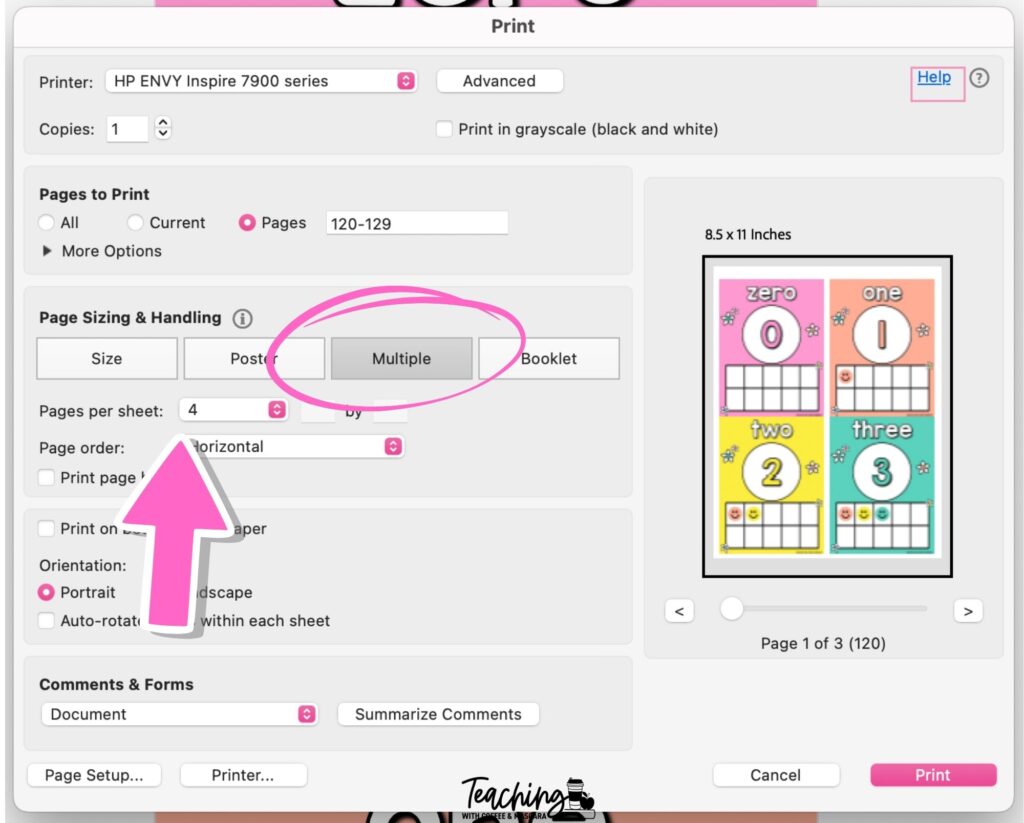
- Six or nine per page gives you true small student cards
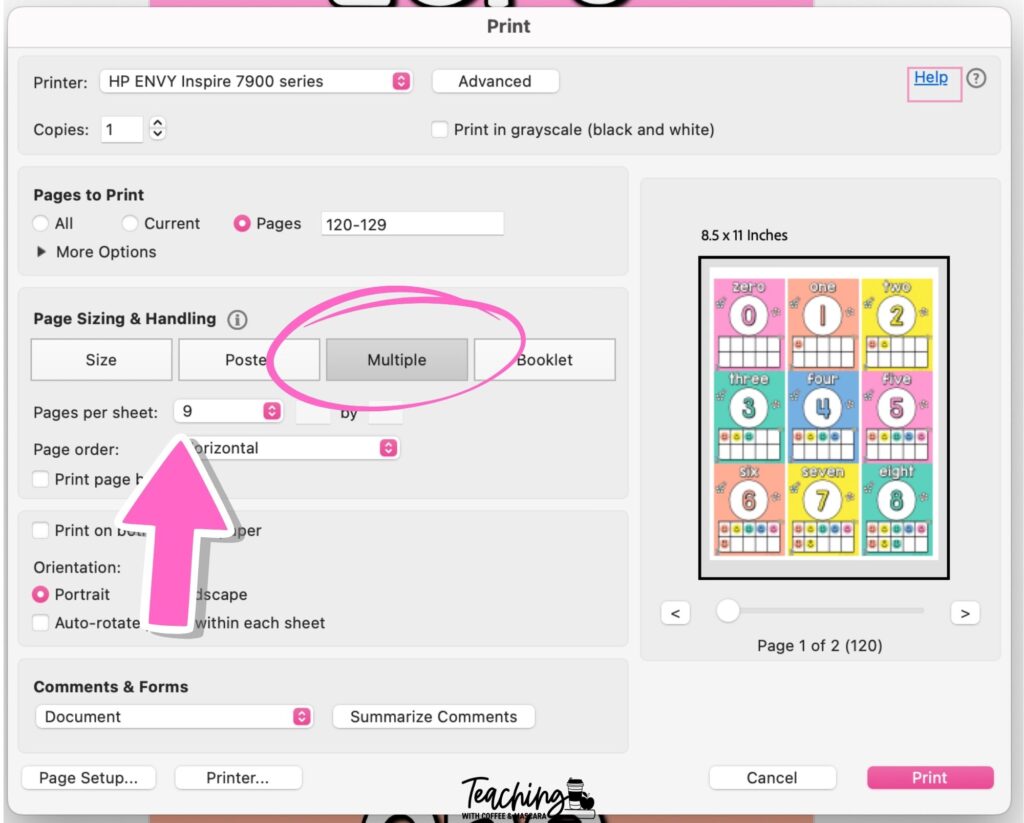
The key is thinking about how you plan to use what you’re printing and choosing the size that makes sense for that purpose.
Shrinking Files from PowerPoint or Canva
Sometimes what you’re working with isn’t a PDF yet. You might be in PowerPoint or Canva.
The first step is always the same. Export the file as a PDF.
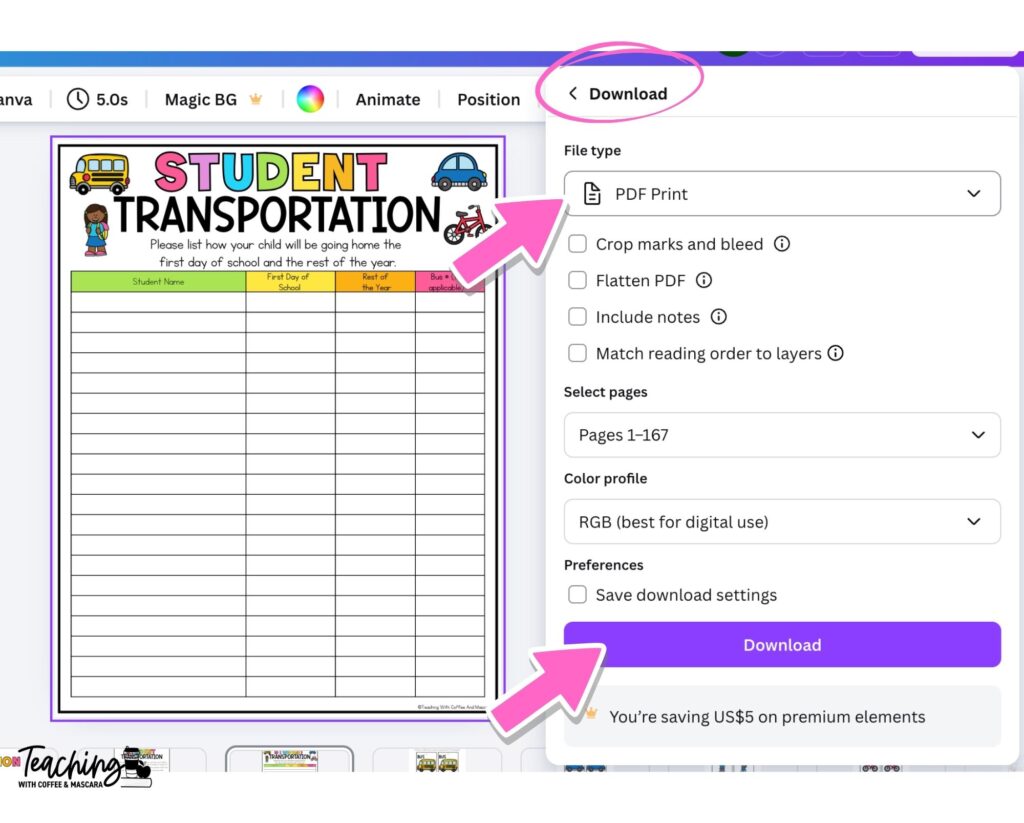
Once it’s a PDF, you can use the custom scale or multiple pages per sheet options just like before.
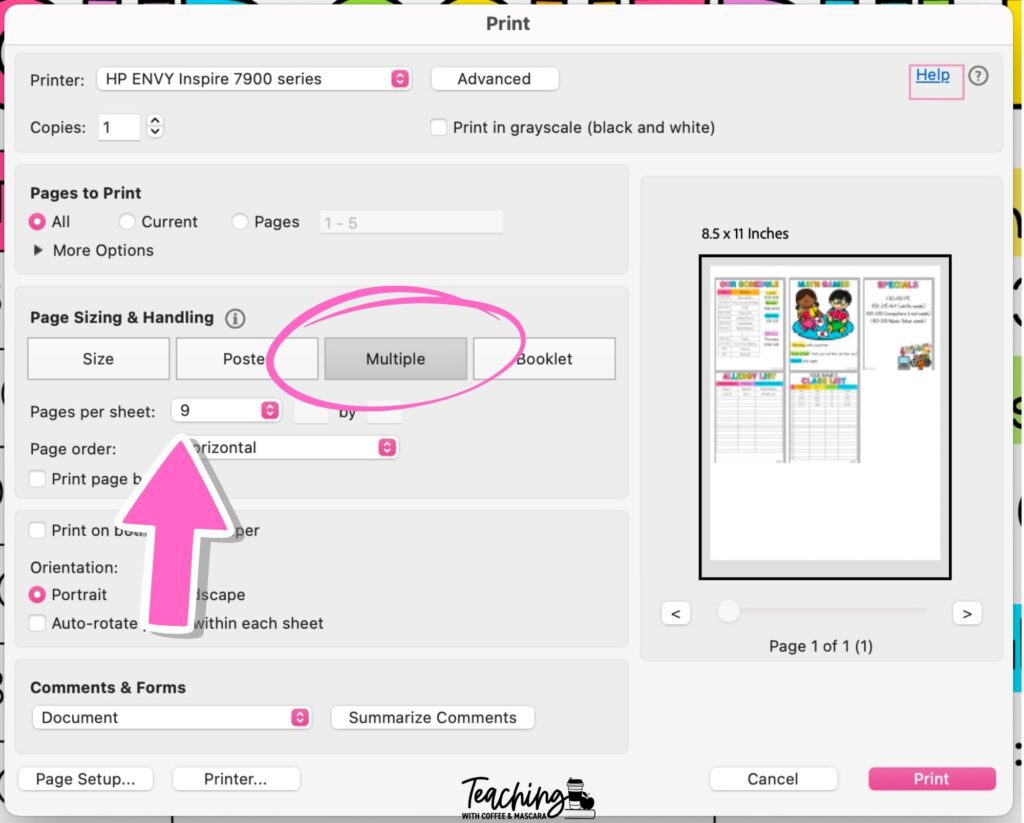
Personally, I love printing nine per page. The cards fit perfectly behind my ID badge or on a keychain, which makes them incredibly convenient.
What to Print Smaller in Your Classroom
Bulletin Board Letters
A lot of bulletin board kits come with full-page letters, even when you don’t need them that big. Shrinking them lets you print exactly the size you need, so they work on a wall, door, or bulletin board without taking over the entire space. And the bonus is that it can save a ton of paper!
Pocket Chart Calendar Cards
Sometimes calendar cards are just slightly too big. Shrinking them to around 88 percent helps them fit inside pocket charts without sticking out the sides. This small adjustment makes a big difference.
Classroom Decor
One of my favorite uses is turning number posters into playing cards. Students can use them for games, they match the classroom decor, and because the visuals are already on the wall, students use them as reference points more often without prompting.
Badge-Sized Reference Sheets
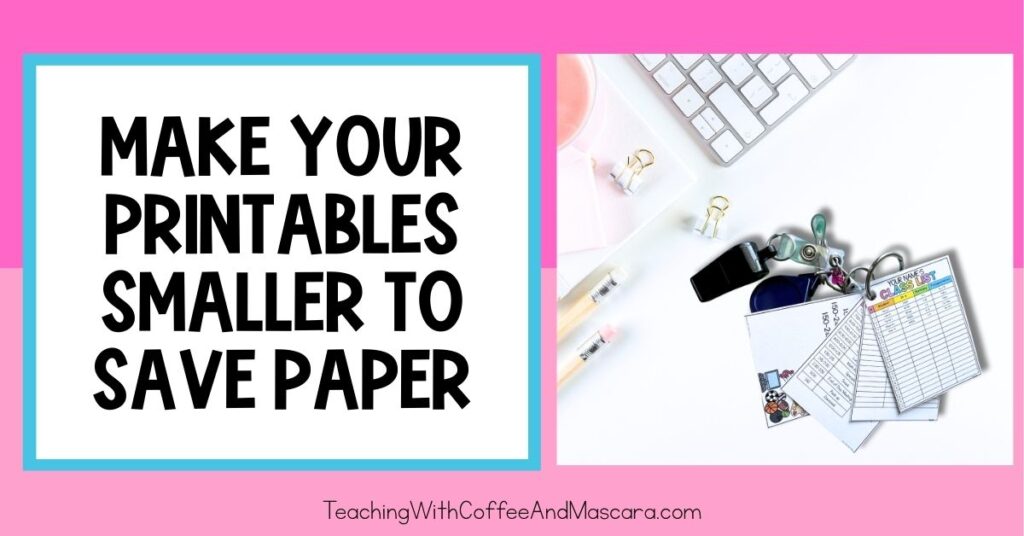
This is my absolute favorite. I shrink my class list, schedule, dismissal information, and parent phone numbers to nine per page so they fit behind my ID badge.
That way, everywhere I go, especially during emergencies, I have everything I need right on my body. It’s easily the most convenient and smartest thing I’ve ever done.
Final Thoughts on Printing Smaller to Save Paper
Shrinking print sizes doesn’t have to be frustrating. Once you know how to use custom scale, multiple pages per sheet, and PDF exports, your printer starts working for you instead of against you.
And if you’re thinking shrinking is great, but you also want to make things bigger, be sure to check out this post that walks you through turning anything into a poster size for free.
Save These Teacher Printer Tips
Save this post so you can come back to these printing tips whenever you need them. Just pin it to one of your favorite teaching boards on Pinterest. That way it’s right there when you need a quick reminder on how to print smaller and save paper.